The spreadsheet everyone has a different version of
The rink sends the schedule as a PDF. The club divides the ice between eight teams in a spreadsheet. It goes round by e-mail, two coaches change it, and on Tuesday the U13 and U15 both turn up at the door. Nobody knows for sure who has the current version.
In HOLULA APEX there is one plan, and everyone looks at the same one.
One weekly grid per surface
The schedule is a grid from Monday to Sunday, 7 am to 11 pm, one column per ice surface. You create your surfaces with a name and a colour, for example South in blue and North in green. A click on a free spot creates a slot: weekday, surface, from, to, team, locker rooms, type and note. Types are training, game, ice resurfacing, school and other, each in its own colour. A click on a slot changes or deletes it.
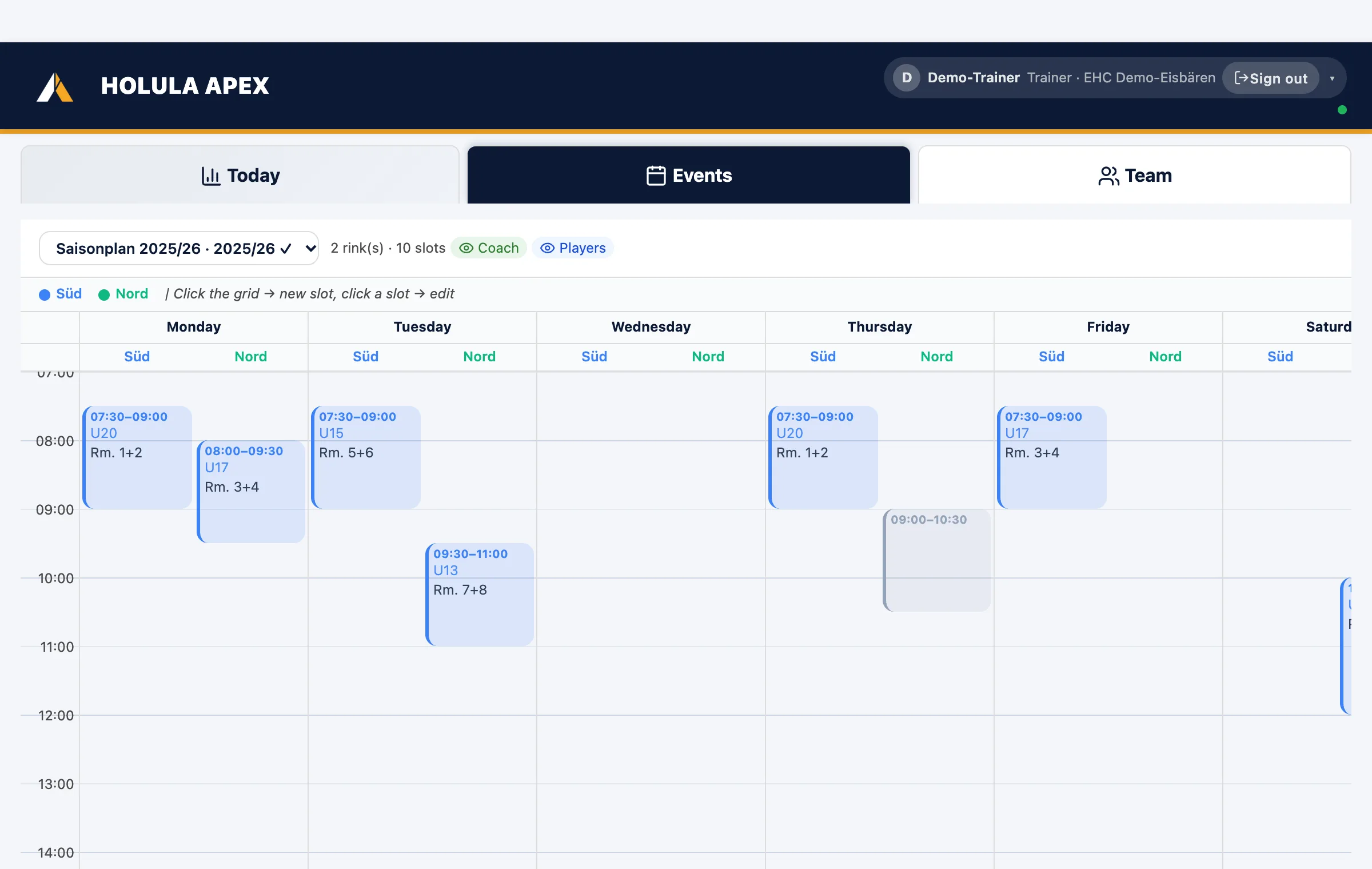
Several plans per season are possible, for example summer and winter. Plans and surfaces are created by the club admin, slots are entered by coaches too. Per plan you decide whether coaches and players can see it.
From the rink's PDF to the plan
If the rink sends its schedule as a PDF, the app reads it and shows a preview before any slots are created. The other way round, you export the weekly plan as an A3 landscape sheet, ready to pin up in the locker room or at the entrance.
A slot becomes a session
A slot is a recurring time window. "Create session" turns it into a schedule entry: date, start time, duration, surface and locker room as venue, the team as title, all prefilled. Conversely, every on-ice session automatically shows "surface · locker room" if its start time falls into a slot. Players RSVP to the session, attendance follows.
What players and parents see
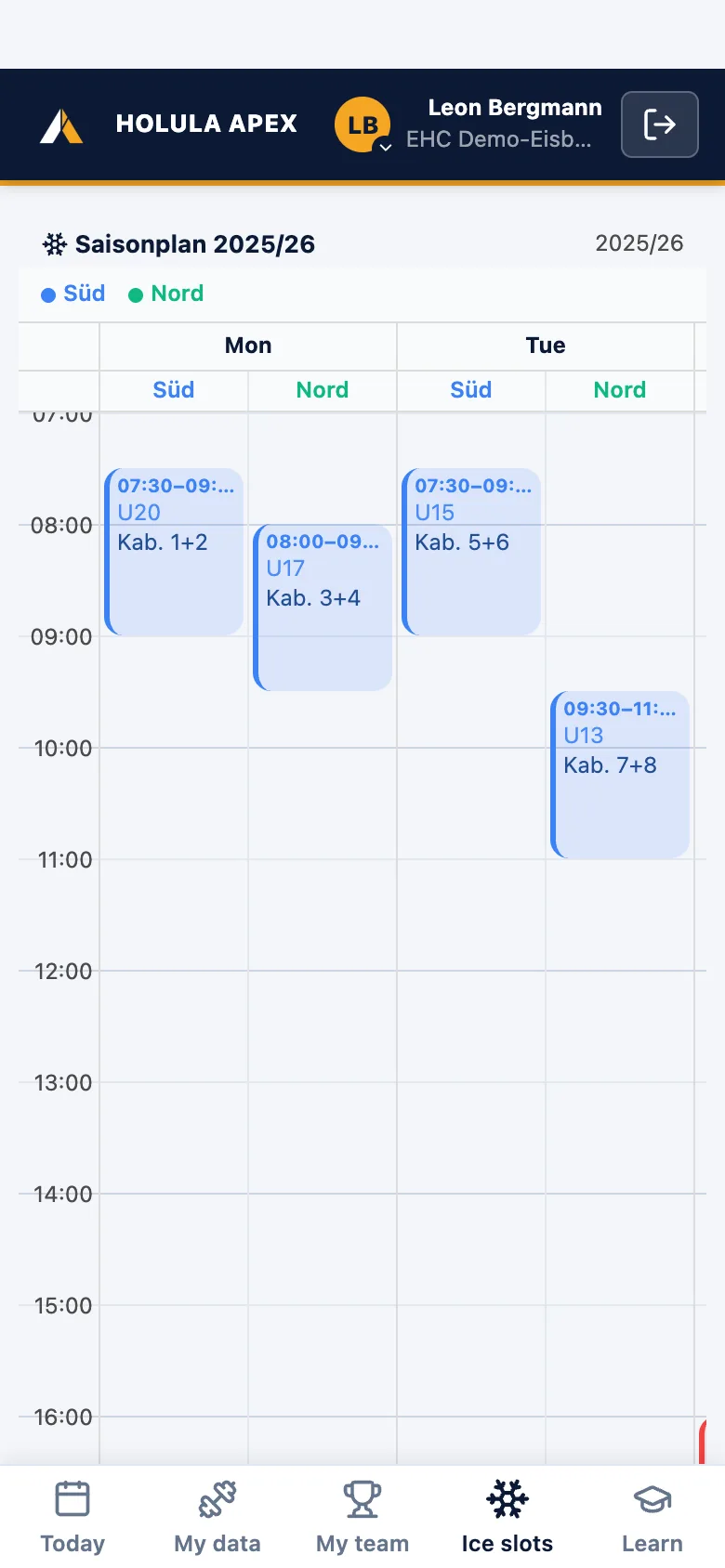
If a plan is released for players, it appears read-only in the player app under "Ice times". Sessions additionally land in players' and parents' phone calendars via calendar subscription.
Agree match dates with opponents
For league games there is the fixture exchange. You create a round, propose date, time and venue for your home games and send each opponent a link. The opponent needs no account: they see only their fixtures, accept, counter-propose or enter blocked dates. If a game or blocked date already sits on a day, the app warns immediately. As soon as one side accepts, the date is in the calendar, with RSVP and push invitation.
Price
Ice times, schedules, RSVP, calendar subscription and fixture exchange are included in the basics at €3.90 per team per month. The first 30 days are free, no credit card. Final prices without VAT (German small-business rule, § 19 UStG). Price calculator.